browser icon
You are using an insecure version of your web browser. Please update your browser!
Using an outdated browser makes your computer unsafe. For a safer, faster, more enjoyable user experience, please update your browser today or try a newer browser.

Shooting Game

We have made a chase game, a maze game, a paddle game and a racing game. So now it is time to create a shooting game.

Whilst we will move quite quickly, you don’t need to have completed every single scratch project so far to start this one.

Click on the picture to play my Witch Hunt. It shows the sort of game we’ll be coding.
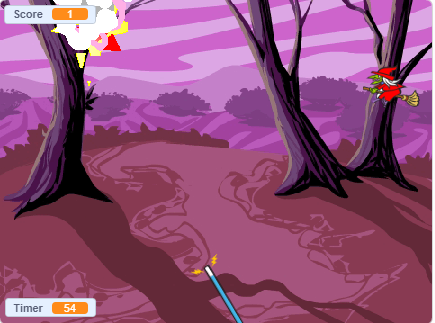
.

The first task is to choose a background. Then watch this first video to learn to create and fire your weapon of choice…

.

.

The next video will show you how to create a sprite that you will try to shoot. We will need to move it across the top of the screen…

.

.

.

The final video will show you how explode your sprite if it is shot. The second half of the video looks at making the animation more complex. Your game will work just as well if you don’t complete the second step – getting your sprite to fall when hit.

.

Whilst we have written more complex code in previous weeks, this project can quickly produce a lot of code. It is critical that you test your code every time that you change something. If it isn’t working, try to find the problem before moving on. If you don’t test your code regularly, it can become very difficult to identify errors…

.

.

.

If you get stuck, share your game by email, describe the problem and we’ll do our best to help.

.

Your game is not complete – we have much to to do – but we still want to see your work. Don’t forget to share the game and mail us the link so that we can see what you have done.

.